Website widget + ServiceDesk
Chat sur le site de l’entreprise, intégré au ServiceDesk ChatSeguro
Mis à jour le 26/11/2026
ChatSeguro Web support is an embedded website chat widget: visitors fill the form, pick a department in the IVR menu (the support options menu), and the team replies in the same ServiceDesk used for internal tickets and WhatsApp — not a generic chatbot separate from the rest of the operation.
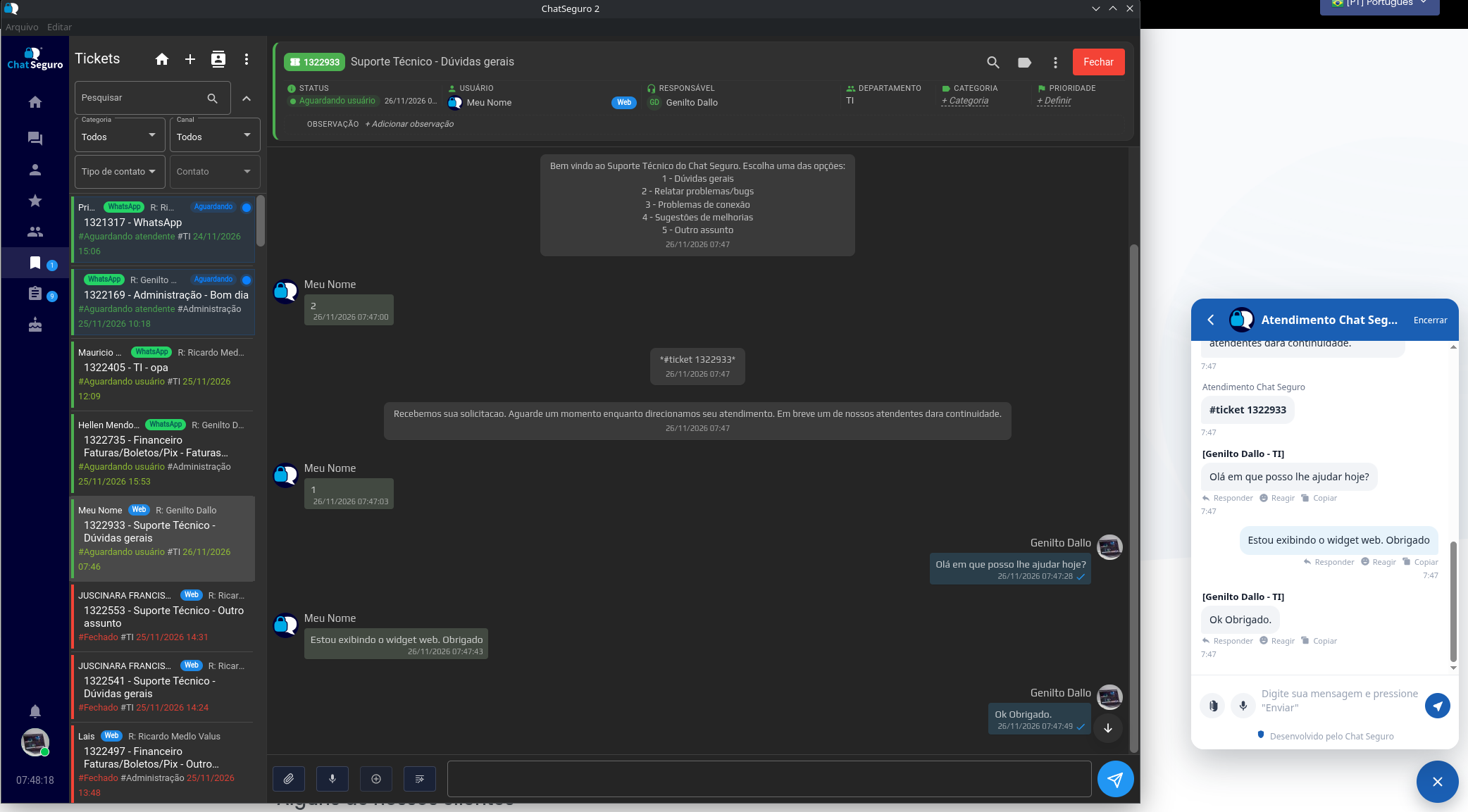
Embedded website widget
A light script on the site opens the floating chat. Visitors enter name, email, phone and company before starting.
Configurable IVR menu
IVR here means the chat options menu: buttons or numbers so the customer picks a topic and is routed before the first human reply.
Department routing
Each IVR option sends the ticket to the right area: finance, support, admin or the agent queue.
Same ServiceDesk
Web tickets arrive with a channel badge, history, status, tags and open queue, next to internal and WhatsApp tickets.
Web contact on file
Name, email, WhatsApp/phone and company stay on the external contact for the next conversation.
Anti-spam protection
Form verification (Cloudflare Turnstile) cuts bots and keeps the queue for real visitors.
What ChatSeguro website chat is
It is the company’s official website chat, integrated with ChatSeguro. Visitors talk in the widget; human support happens in the corporate ServiceDesk, with ticket, history and queue. It does not replace internal chat between employees: it is the external website channel, in the same panel where the team already manages WhatsApp and internal tickets.
How visitors start support on the website
Visitors open the floating button and see the form: required name and email, optional WhatsApp/phone and company. After security verification they start chatting. The Web ticket is created in ServiceDesk with the submitted data and page origin, so the team knows where the contact came from.
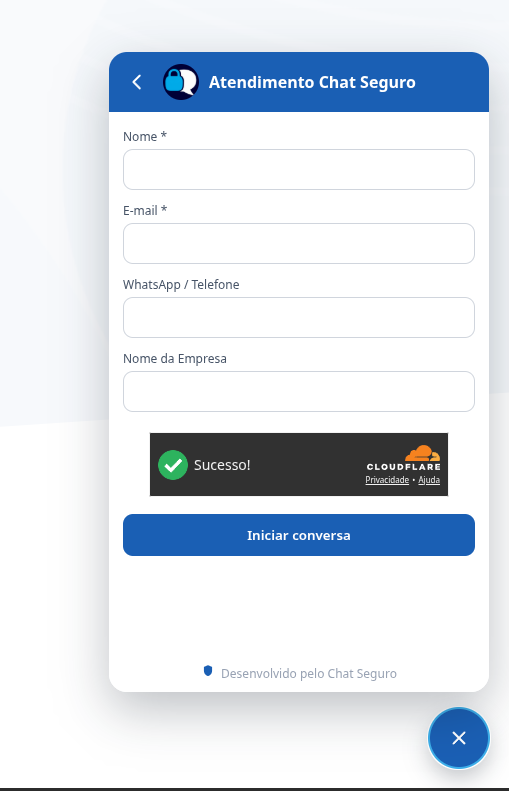
IVR menu: the customer picks the department
With IVR on, the widget shows a configurable menu — for example Finance, Technical Support, Admin or Talk to an agent. The customer picks an option and the ticket goes to that department. You can build multi-level menus and, on the contact record, skip IVR when the flow should go straight to an agent.
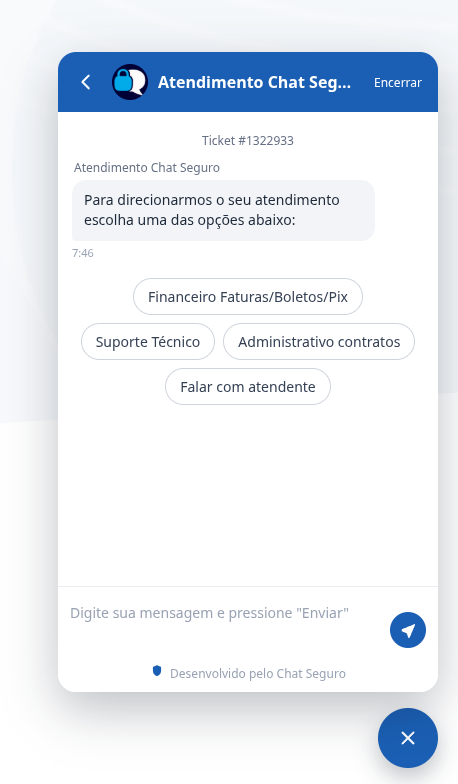
Customer on the site, team in ChatSeguro
While the visitor chats in the widget, the agent works in ChatSeguro 2 desktop: sees the Web ticket in the list, replies with text, media and audio, transfers, applies tags and follows status (open, waiting for user, closed). Web and WhatsApp channels are filterable in the same panel, with full history on the ticket.
How to add the chat widget to your website
Integration is a light script on the site (no separate server on the page). With the Web channel configured in ChatSeguro, the widget appears as a floating button, opens the form and sends tickets to ServiceDesk. It works on an institutional site, landing page or logged-in area — what matters is the authorized domain and an active channel on the account.
Who ChatSeguro website chat is for
For companies that already use or want ChatSeguro as their official channel and need to serve website visitors without another disconnected tool. It fits support, finance, sales and multi-branch operations: the same team that answers WhatsApp and internal tickets receives the Web ticket, with department and history in one place.
How it differs from generic website chat
Live-chat-only tools often sit apart from the rest of company communication. In ChatSeguro, the website widget joins ServiceDesk with internal chat and WhatsApp Business: one panel, one queue, one contact and operational auditability. The difference is human support routed by IVR and department — not a bot disconnected from the rest of the team.