Board and lists
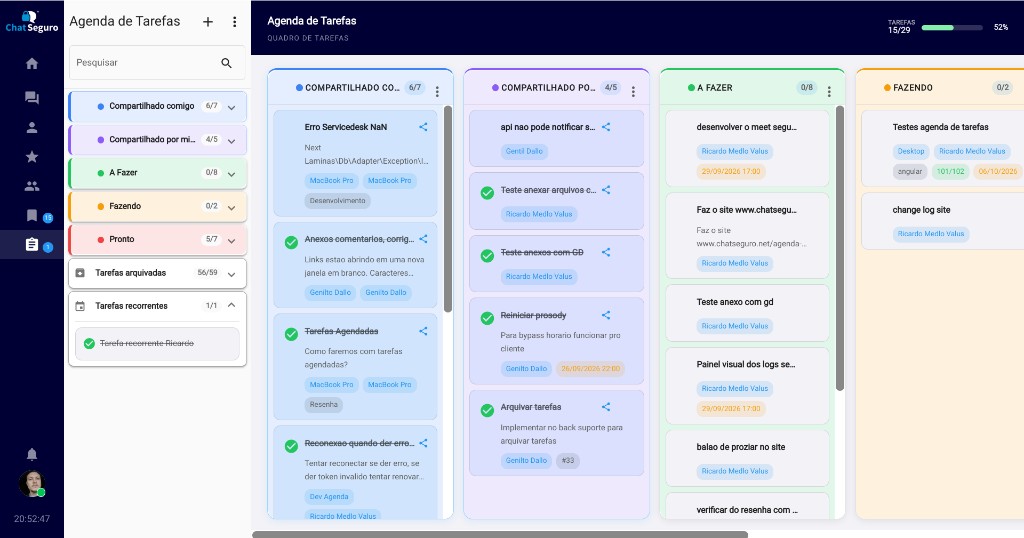
To do, Doing, and Done, plus your own colored lists. Drag a task from one list to another.
Due date and reminder
Date and time, a reminder before the deadline, and a warning for overdue or upcoming tasks.
Owner and team
Pick an owner from the company contacts and share with read or write permission.
Checklist and comments
Subtasks with progress, plus comments with text, writing suggestions, and attachments.
Repeating tasks
Daily, weekly, monthly, or yearly repeat, with the option to stop it.
Search, filters, and archive
Search, filters by due date, tag, and owner, smart sort, and archived tasks.
Board and agenda panel
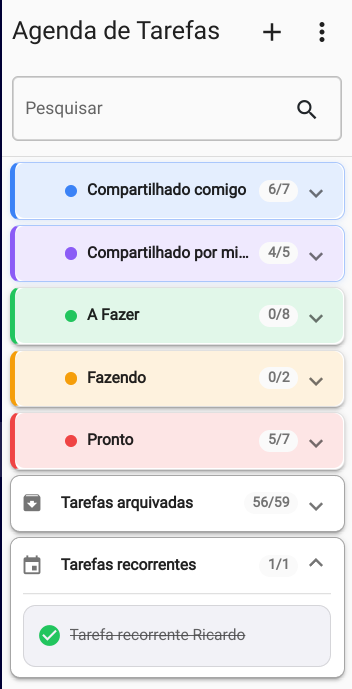
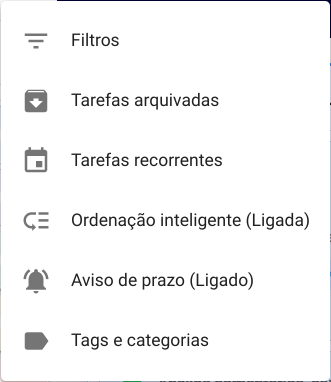
The main area is a task board, with a progress bar of what is already done. The default lists are To do, Doing, and Done. You can create other lists, pick a color, rename your own lists, reorder them, and drag a card from one list to another. In the side panel, the same lists open as accordions, with search and a task count. To do, Doing, and Done cannot be renamed. Shared tasks stay separate: Shared with me and Shared by me. The agenda menu holds filters, archived tasks, recurring tasks, smart sort, due-date warnings, and the tag and category catalog. A new task opens from the add button or with Ctrl+N.
How to create a task
The new-task window asks for title, description, list, category, due date and time, tags, and owner. A category or tag can be created on the spot from the catalog. If the owner is someone else on the contact list, ChatSeguro asks whether to share the task and which permission to use: read or write. Title and description accept writing suggestions as you type.
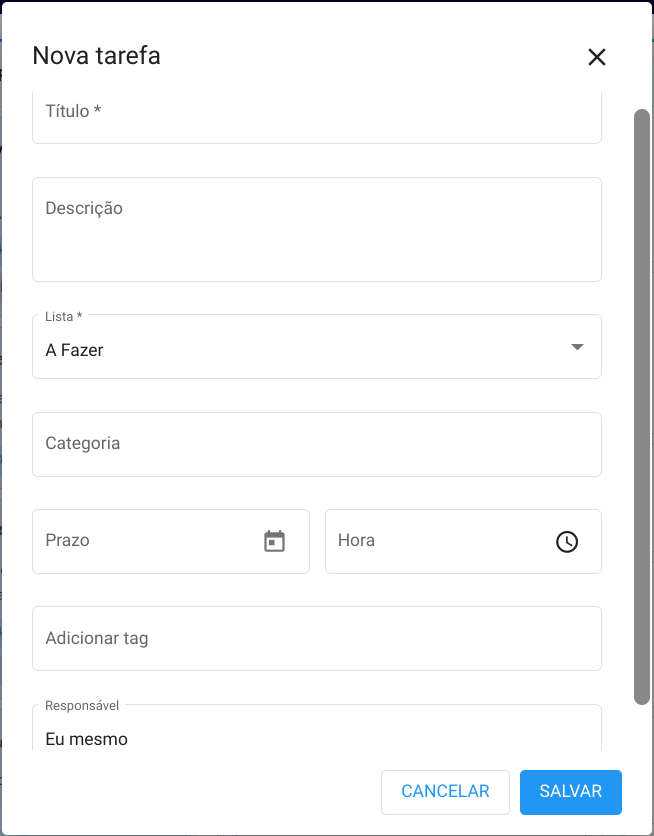
Fields on a task
| Field | What it stores |
|---|---|
| Title | The task name. You can rename it on the list with a right-click. |
| Description | Free text, with writing suggestions. |
| List | To do, Doing, Done, or a list you created. The task can be moved later. |
| Category | One category from the catalog, or none. |
| Due date and time | A due date and, if you want, a time. With no date, the task has no deadline. |
| Tags | One or more tags from the catalog. The catalog also creates and deletes tags and categories. |
| Owner | A company contact. It can be you or someone else. |
| Reminder | No reminder, 5, 15, or 30 minutes before, 1 hour before, or 1 day before. The default is 5 minutes. |
| Repeat | Do not repeat, daily, weekly, monthly, or yearly. The repeat can be stopped. |
| Checklist | Checkable subtasks, with progress of how many are done. |
| Comments and activity | Text, writing suggestions, and an attachment. Image, video, and audio show on the task; other files can be downloaded when the department allows file transfer. |
| Sharing | Company contacts with Read or Write permission. Read-only people cannot change the task. |
Detail, checklist, and comments
Opening a task shows who created it and when, the status (open or done), and the fields above for editing when you have write permission. The checklist sits in the task body. Beside it, comments and activity keep what was said and the files sent, with author and date. Long comments have a read-more control. Someone who received the task as read-only sees the same data and cannot edit it.
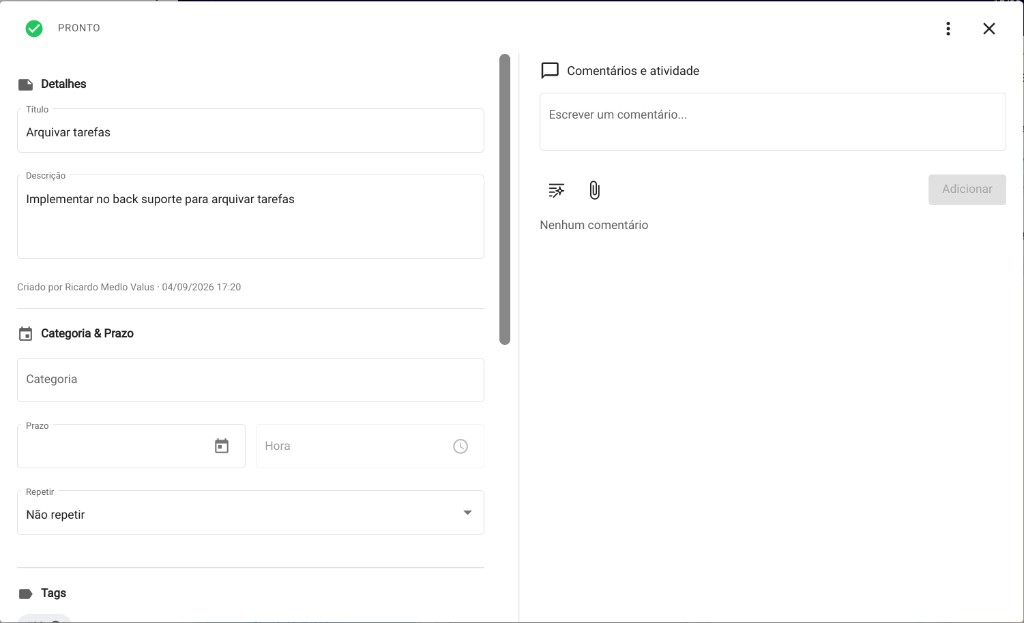
Share with the team
Sharing is per task, with people who are already on the company contact list. Permission is Read or Write. Write allows editing, commenting, and marking the task done. A change on a shared task shows a notice, including comment, status, due date, owner, title, reminder, or recurrence. The task menu can move it to another list of yours, change the category, change the owner, archive it, or delete it. A task shared by someone else cannot be moved or archived by the person who received it.
Due-date warning and sorting
With the due-date warning on, ChatSeguro opens a notice in three groups: overdue tasks, a deadline that has just passed, and tasks that are due soon. You can open the agenda now or later. Smart sort, when on, keeps pending tasks at the top and completed ones at the bottom; inside each group the order stays manual. When it is off, the whole list order is manual. The Done list is not reordered on its own.
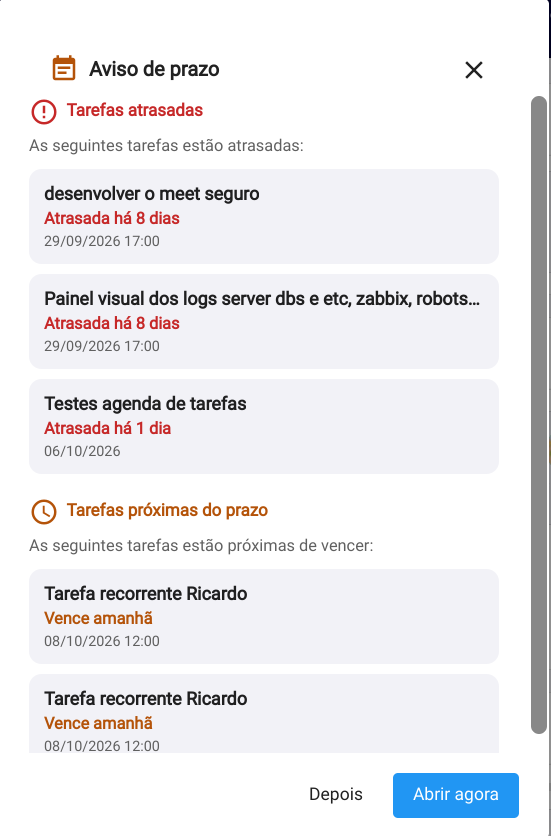
Search, filters, archive, and catalog
Search finds text on the task. Filters combine title, category, due from, due until, description, tag, and owner, and show a summary you can clear at once. Archived tasks leave the board: the archived screen searches by text, filters by list, and can unarchive. Recurring tasks have their own screen, with search, a list filter, and the action to stop the repeat. Tags and categories live in one catalog, used when creating and when opening a task.
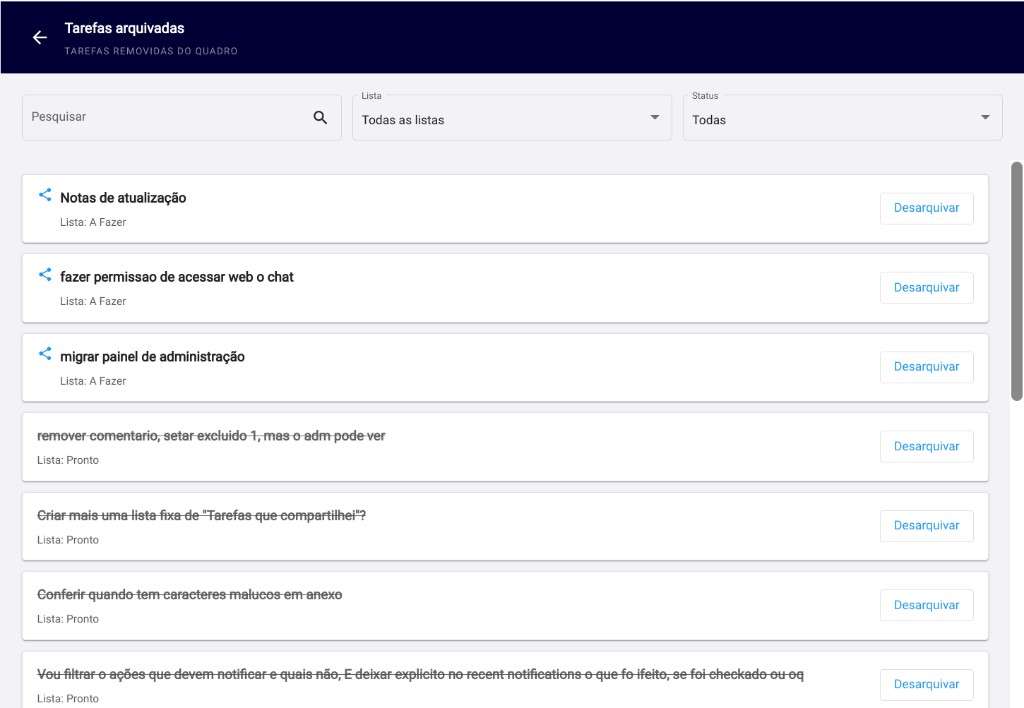
Home screen and notifications
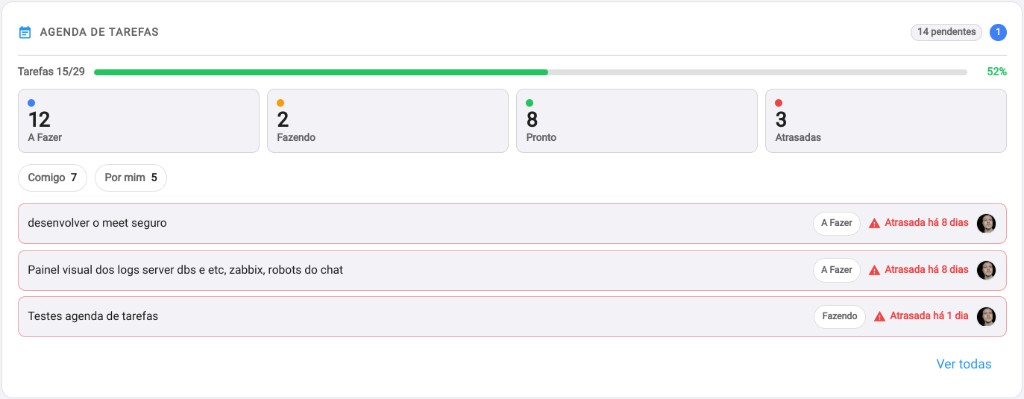
On the desktop home screen, people with the agenda enabled see a preview: progress of completed tasks, counts for To do, Doing, Done, and overdue, and the slice Shared with me or Shared by me. From there you open the board or the task detail. Updates also land in recent notifications, on the Tasks tab.